Scale modelling journal & stash · kithub.cz

From the boxon the shelfto the showcase.

Kits, paints, aftermarket, camouflage, a build log and a shopping list. Your whole stash in one app — from the box in storage to a finished model with photos.

No sign-up as a guestCZ / ENDesktop & phone
On the bench now▍German 4x4 Cargo Truck
  • Want to Buy
  • In Stock
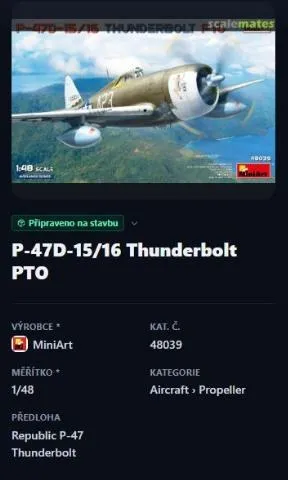
  • Ready to Build
  • In Progress
  • Paused
  • Finished
  • Scrapyard
Real screens from the app

This is your stash

No illustrations — switch between screens and see exactly what the app does.

app.kithub.cz
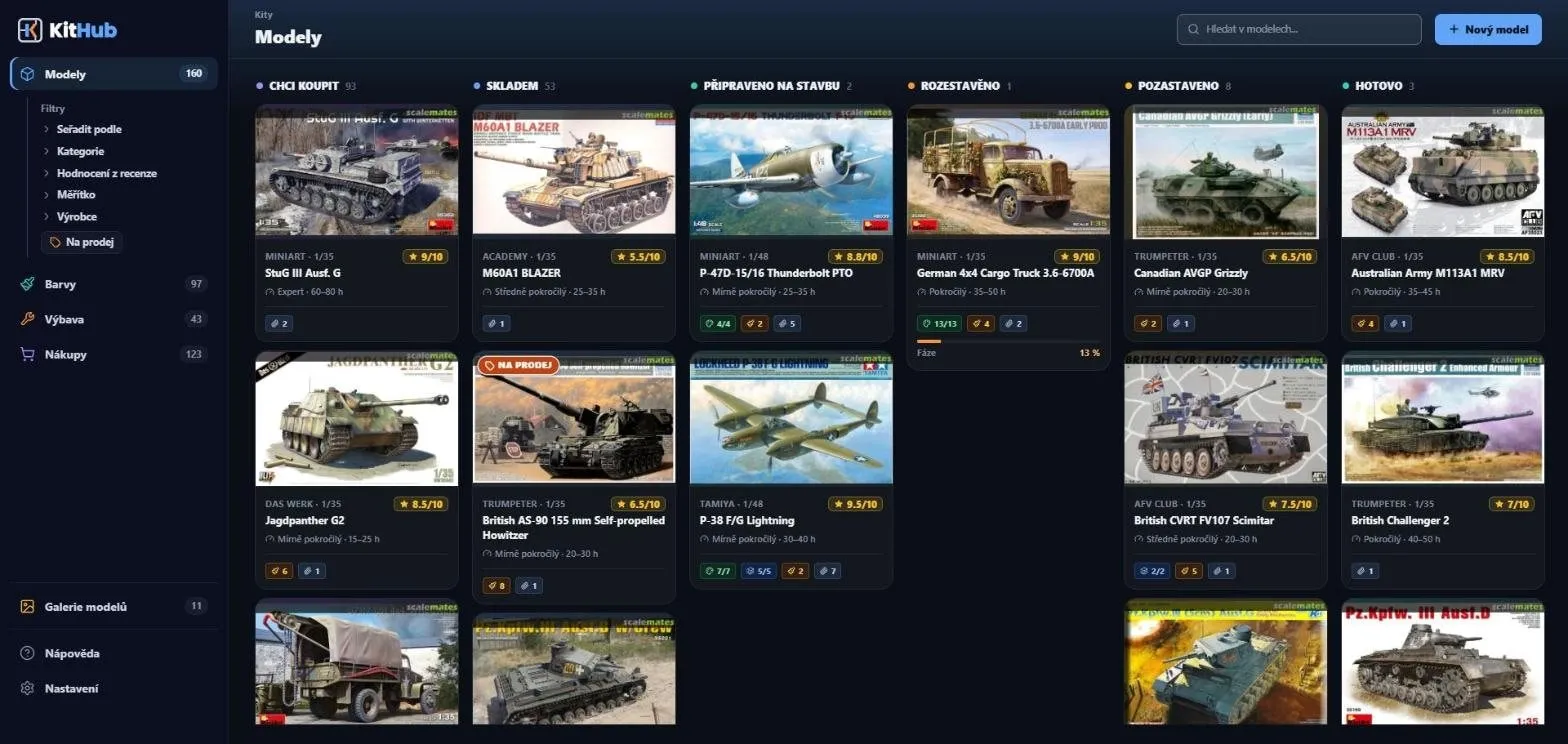
Model board split into columns by state

Model board

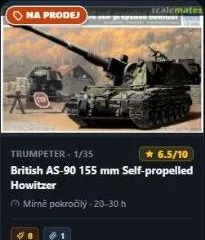
  1. 1Columns by stateFrom Want to Buy to Finished, with counts.
  2. 2Review ratingThe AI review rates a kit as soon as you save it.
  3. 3Build progressModels in progress show their phase in percent.
  4. 4New modelJust a name or catalogue number.
At the modelling desk

The computer belongs on the desk.

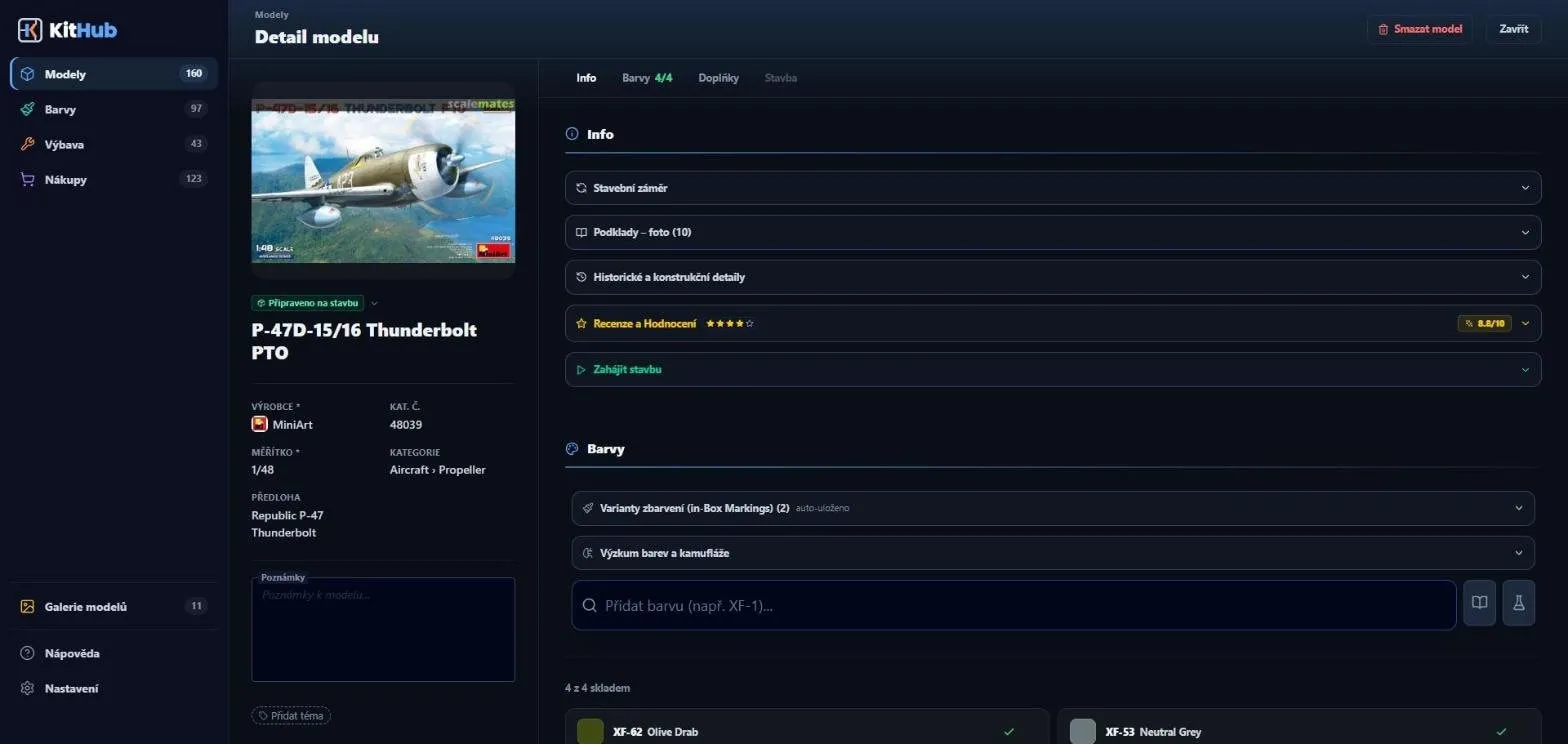
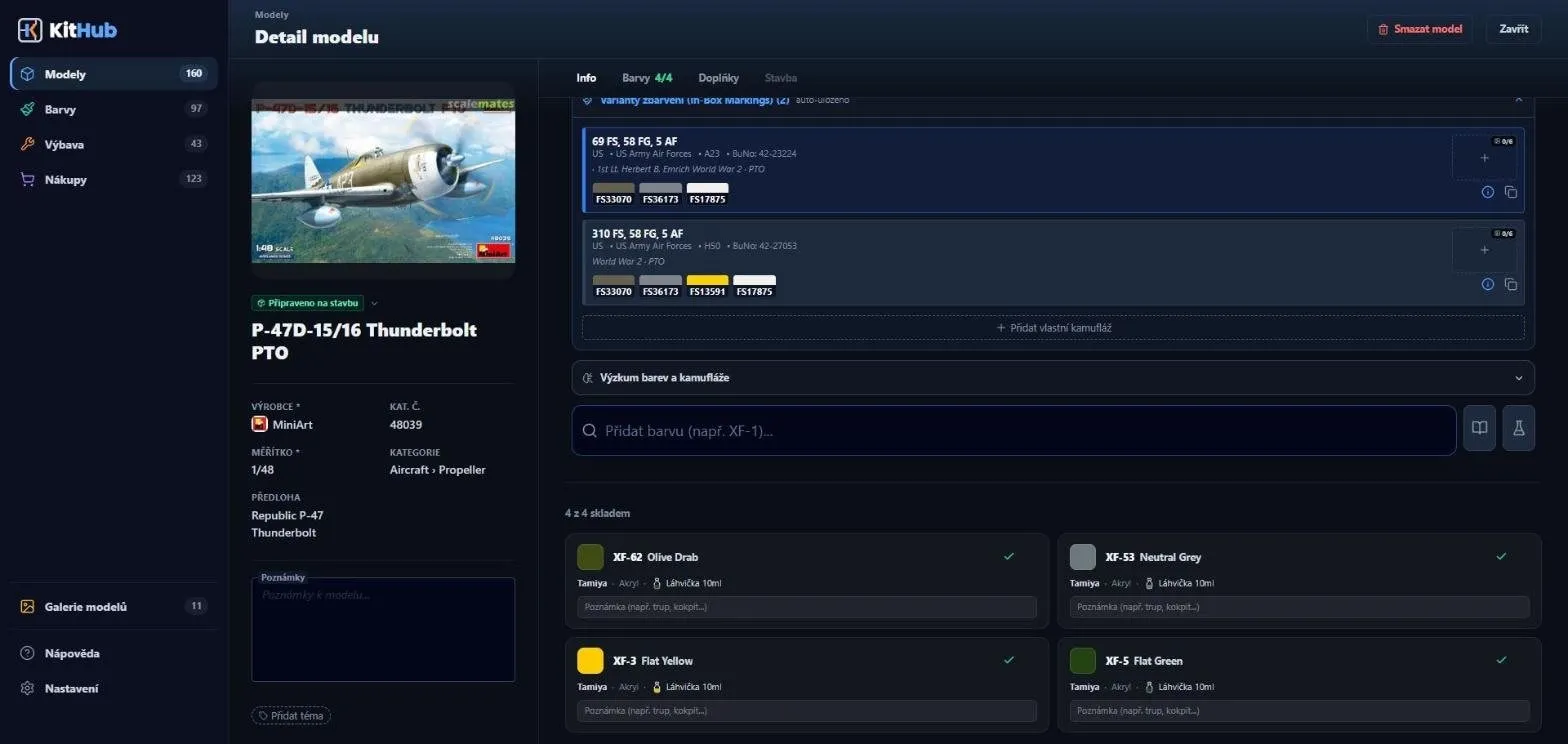
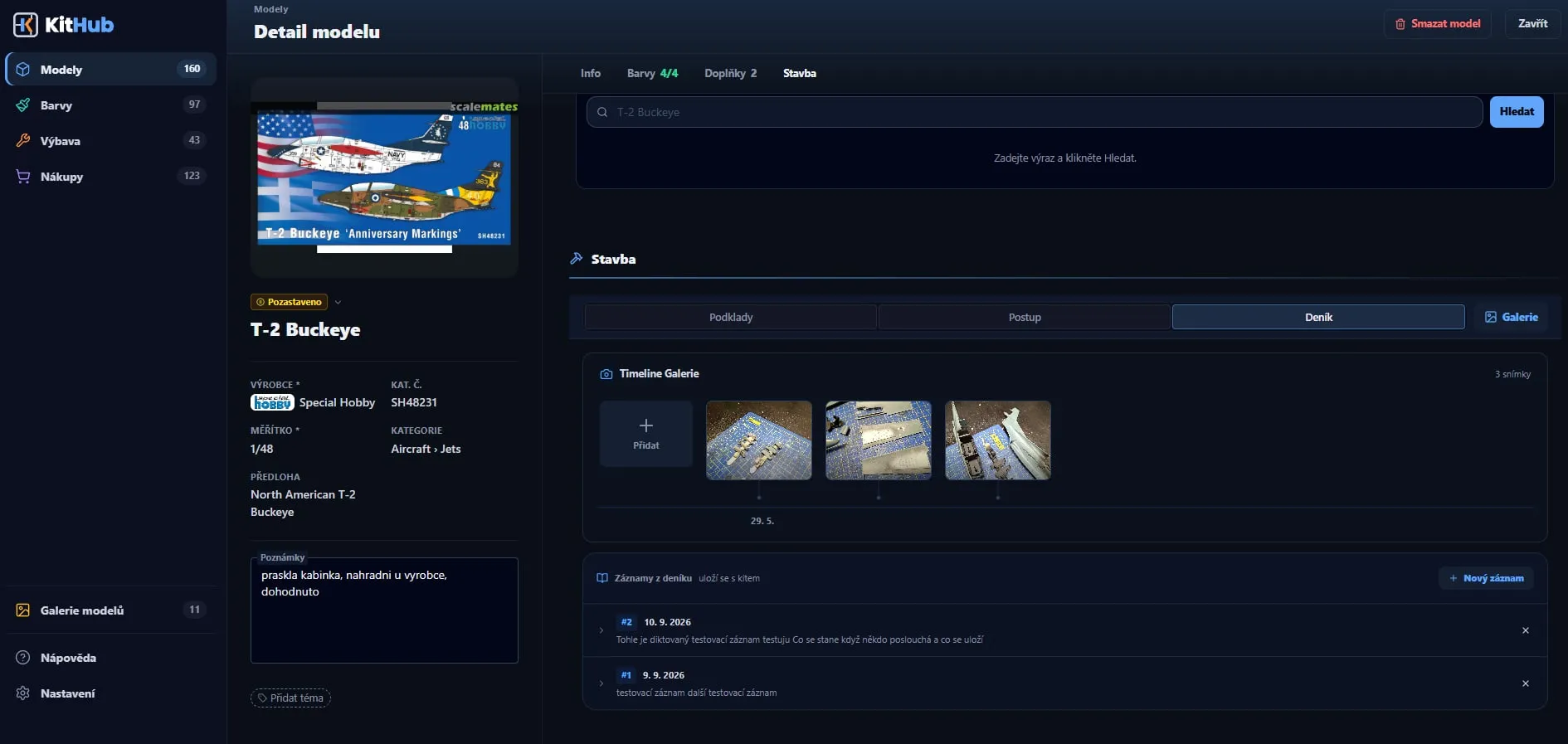
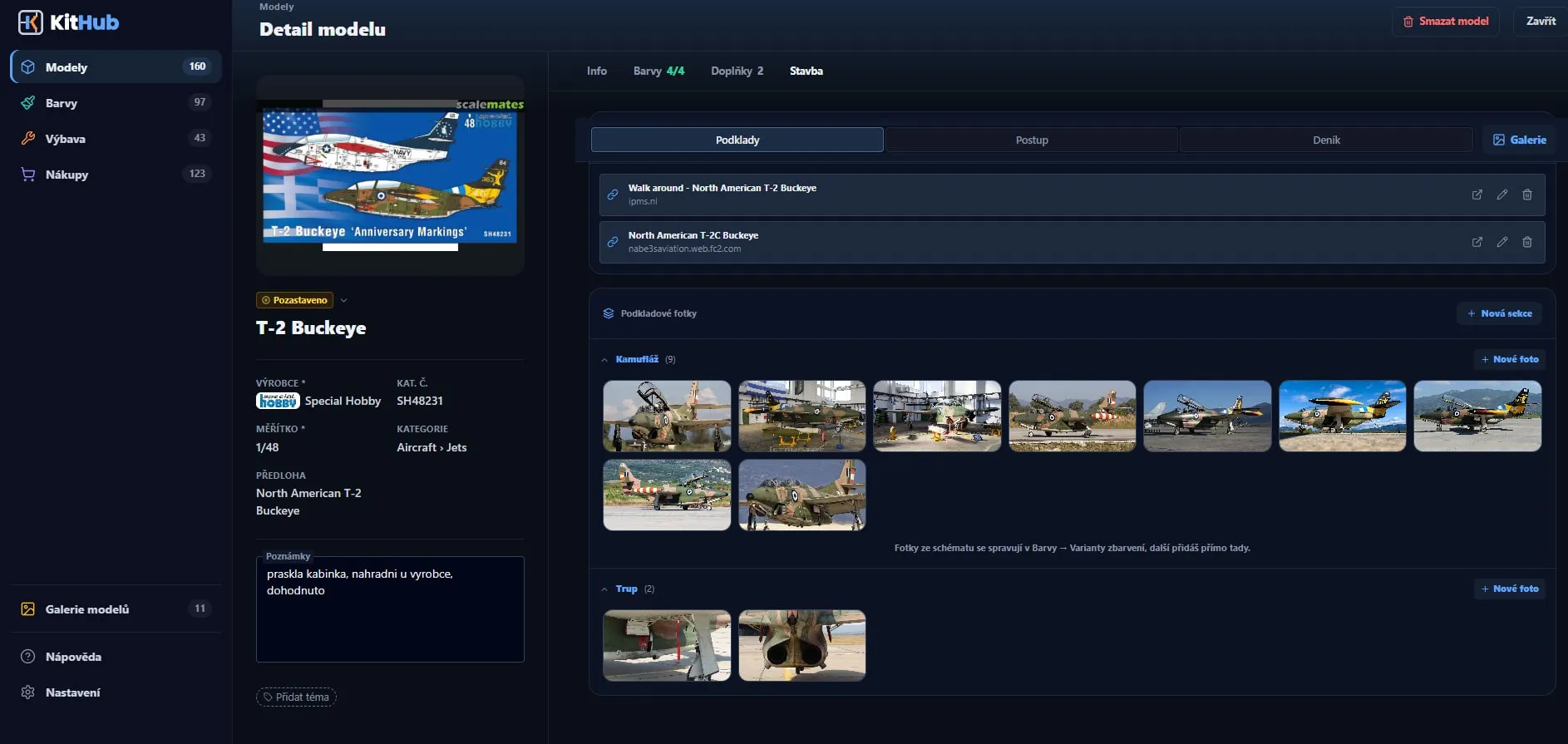
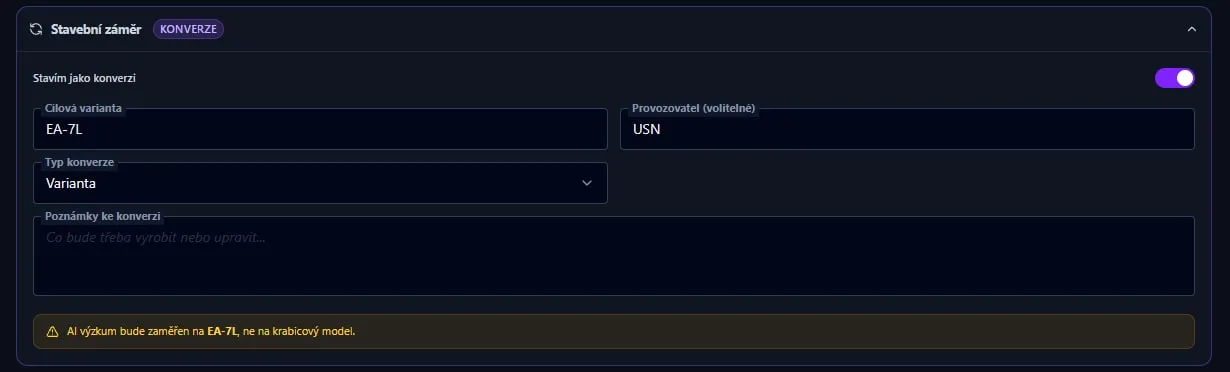
On a big screen KitHub is a workbench, not just a list. Open a model and everything you need for the build is together: the model and your notes on the left; references, paints, accessories and the build with its journal on the right.

app.kithub.cz
Model detail of a T-2 Buckeye on a computer: a panel with the box and a note on the left, links and reference photos split into Camouflage and Fuselage sections on the right
  1. 1

    The model always in sight

    The panel on the left doesn’t move while you browse: box art, status, scale and your own note on the model (“cracked canopy, replacement from the maker”). On the right you work through the rest at your own pace.

  2. 2

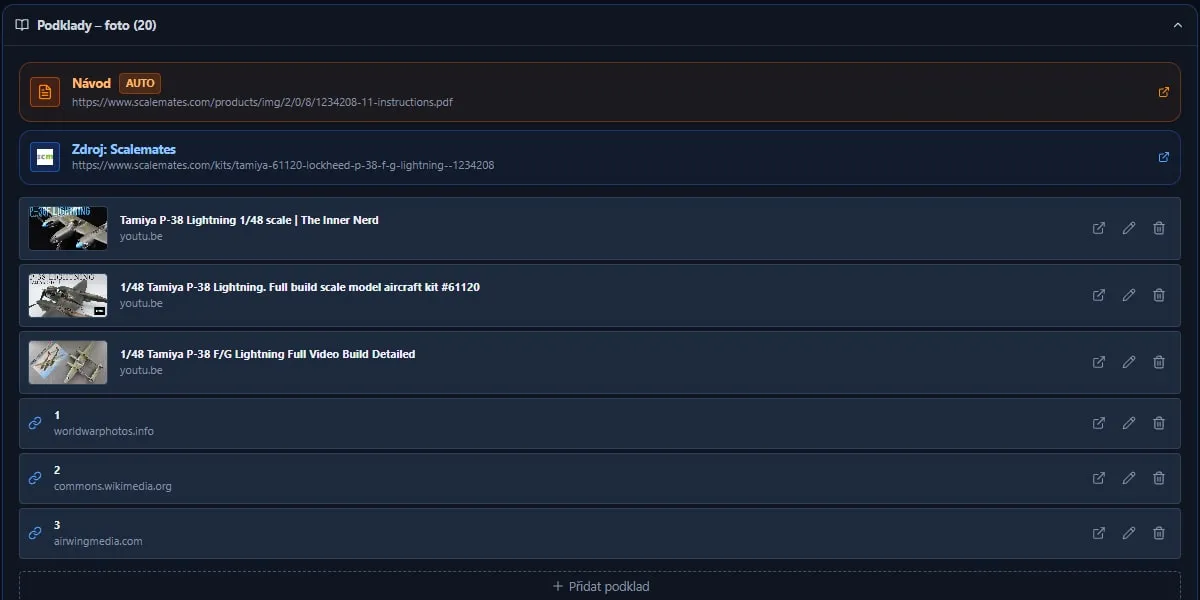
    References in one place

    The instructions as a PDF (the app offers them itself when it finds them), the Scalemates source, your own links and files, notes and YouTube videos. For a video you save the minute where the pro starts layering or weathering; the link opens on YouTube right there.

  3. 3

    Reference photos, big

    Photos of the real aircraft sorted into sections: the first is always Camouflage, you name the others (fuselage, undercarriage, cockpit…). Open them large, with zoom and the arrow keys.

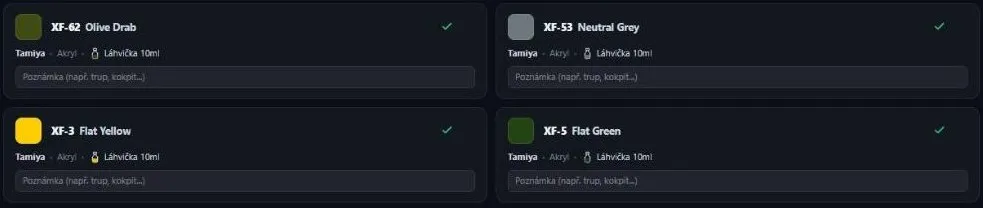
When you paint and weather, you keep switching between the reference, a video and your own note: where the exhaust is dirtiest, how a faded finish looks on the real machine, which shade you used. With everything attached to the model you don’t dig through browser tabs and photo folders — and the paints are right there too: FS swatches on camouflage schemes, an “in stock” status on each paint and a note of your own (say “fuselage” or “cockpit”).

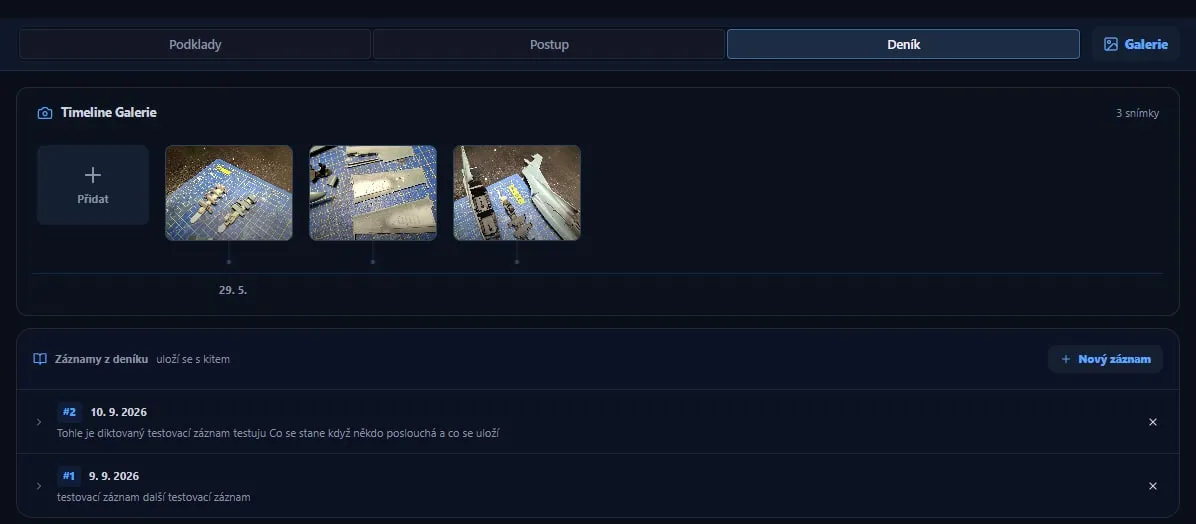
And when your hands are covered in paint, journal text can be dictated in a supported browser; photos from the build line up on a timeline and you refer to them in the text by number.

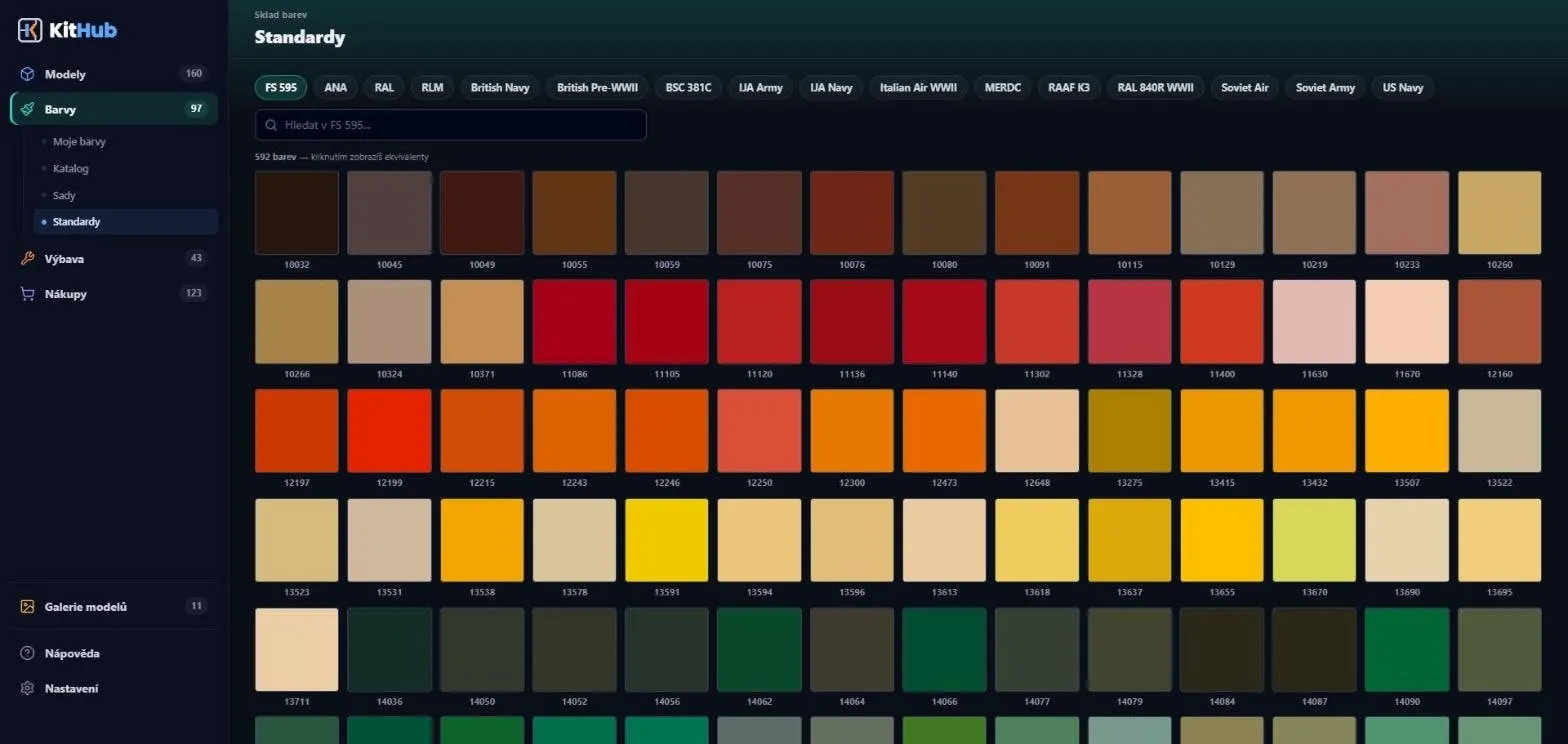
592 shades in FS 595 alone

A swatchbook of sixteen colour standards. For FS, RAL and RLM, click a shade to see modelling equivalents — paints you already own first, then the manufacturer’s table, and finally the closest shade by colour distance.

How equivalents are worked out ↓
Under the hood · colour conversion

How KitHub converts paints

No magic and no AI — a lookup and a calculation. Here is exactly what happens when you click a standard’s shade in Paints: where equivalents come from, how they are worked out and where their limits are.

The plain truth

We only convert from FS, RAL and RLM.

Click a shade of FS 595, RAL or RLM and you get modelling equivalents. The other 13 standards — from ANA to US Navy — are just a shade reference in the swatchbook: you see the code, the name and the colour, but no equivalents are looked up for them.

KitHub cannot convert straight from one brand’s paint to another (say Tamiya → Vallejo). Both directions always go through a standard: standard → manufacturers’ paints and paint → closest FS, RAL and RLM.

  • FS 595✓ equivalents
  • RAL✓ equivalents
  • RLM✓ equivalents
  • ANAswatches only
  • British Navyswatches only
  • British Pre-WWIIswatches only
  • BSC 381Cswatches only
  • IJA Armyswatches only
  • IJA Navyswatches only
  • Italian Air WWIIswatches only
  • MERDCswatches only
  • RAAF K3swatches only
  • RAL 840R WWIIswatches only
  • Soviet Airswatches only
  • Soviet Armyswatches only
  • US Navyswatches only

Three result groups

  1. Your paints first

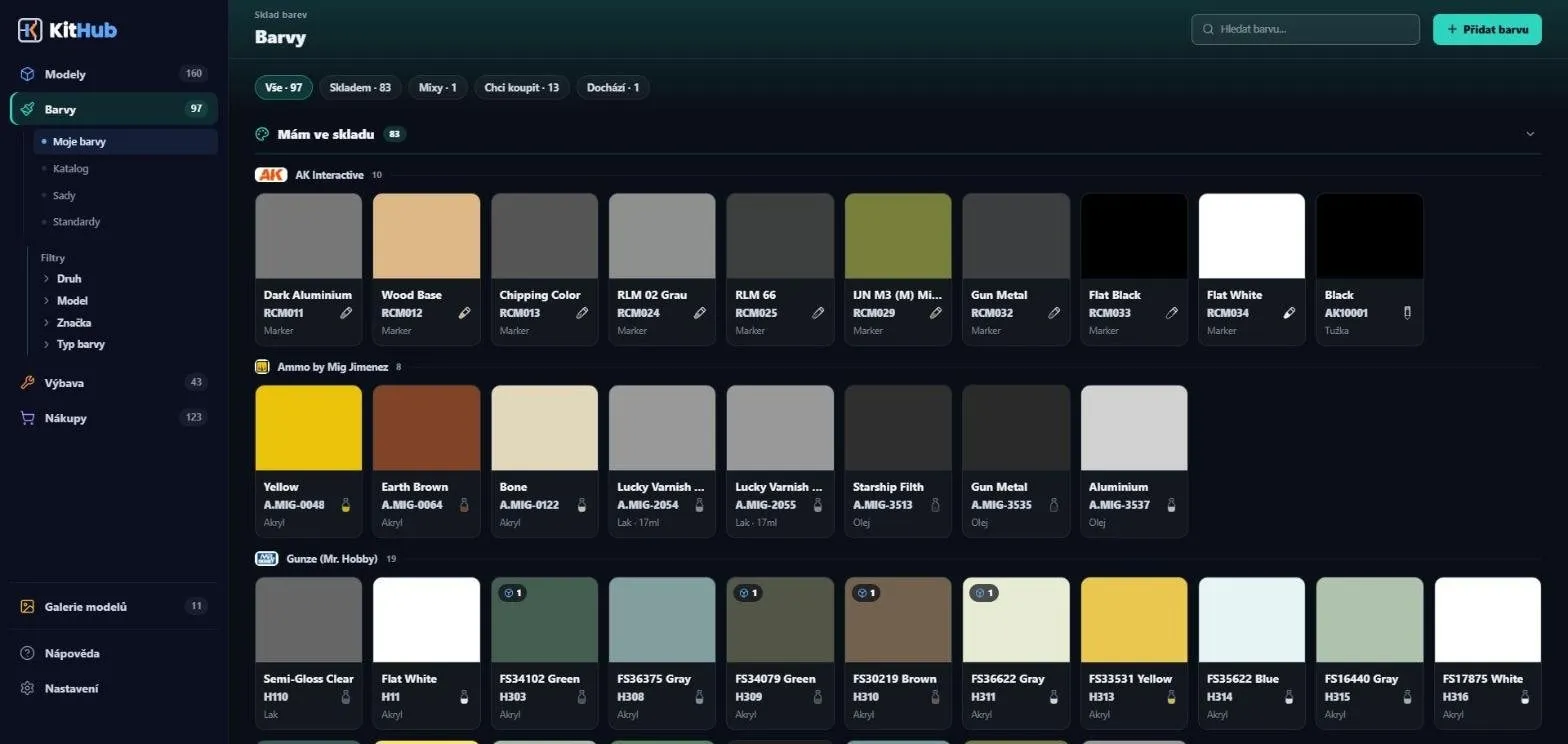
    In my stash

    From whatever the two groups below find, KitHub lifts out the paints you own — In Stock or Running Low — into a group of their own at the top. The limit never trims them: nothing of yours is hidden.

    A paint on the shopping list or with an empty bottle does not count as owned; it stays in its own group with a status mark.

  2. Exact code lookup

    Manufacturer says ✓

    Nothing is calculated here. The catalog links 889 paints to an FS code, 622 to RAL and 322 to RLM (as of 14 Oct 2026) — and KitHub simply looks them up.

    A link comes from what the manufacturer itself states: conversion tables, official PDFs, or the product name (“Field Green FS 34097”). The largest table, AK’s, was checked code by code against the catalog, and rows that contradict themselves were flagged so nobody uses them.

  3. A calculation

    Closest shade ~

    KitHub takes the standard’s hex and works out the colour distance ΔE with the CIEDE2000 formula to every catalog paint that has a hex. Only what lies closer than ΔE 10 makes the list, nearest first.

    Metallics, clear paints and markers are skipped — their hex doesn’t tell you how the paint looks. Exception: when the standard itself is metallic (silver, aluminium), metallics are let in.

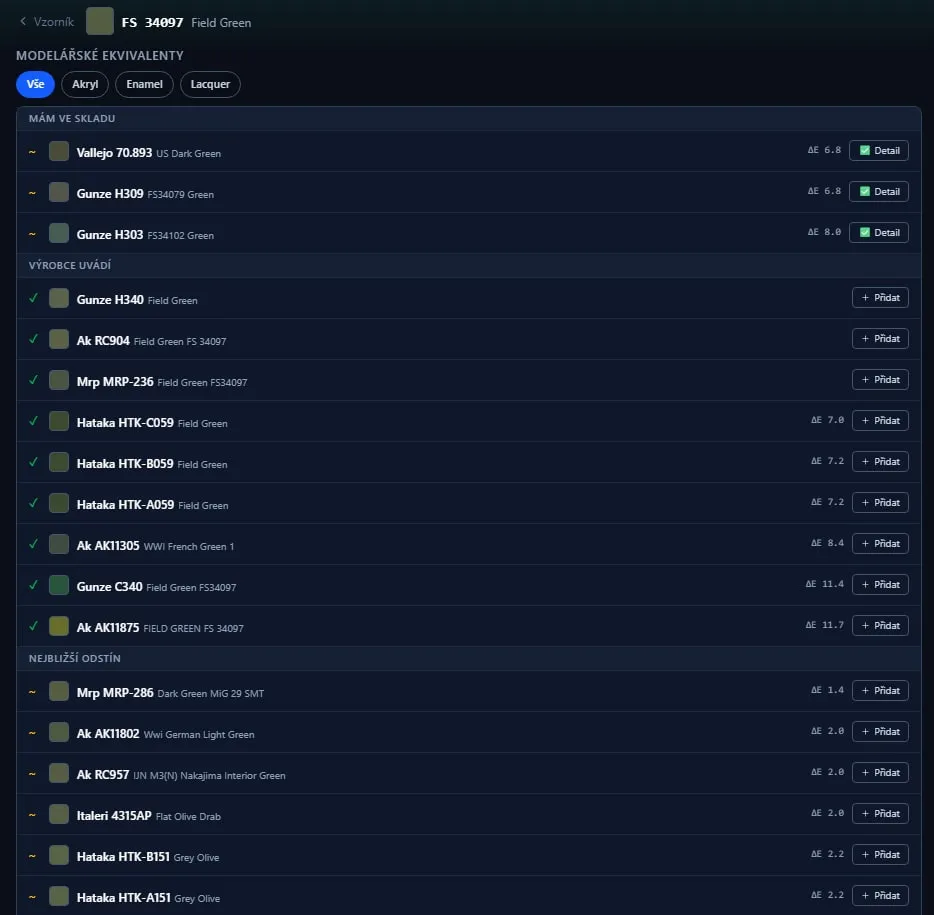
Equivalents of FS 34097 Field Green in three groups: In my stash, Manufacturer says and Closest shade123
  1. 1In my stash
  2. 2Manufacturer says ✓
  3. 3Closest shade ~

Small rules

  • Each group shows at most 10 paints; paints from your stash are never trimmed.
  • The Acrylic · Enamel · Lacquer chips filter by chemistry — results are not mixed.
  • Preferred brands from Settings move a paint up by the equivalent of 1 ΔE, never more — they cannot outrank a solid table match.
  • If a standard has no hex in the table, only the manufacturer’s matches are shown (nothing can be calculated without a hex).

How to read ΔE

ΔE is the distance between two colours in Lab space. 0 is identical, around 1 the eye barely notices the difference, up to 10 the colours are still related, above 10 they are different colours.

KitHub also keeps a confidence level for every match. For the calculation: high below ΔE 3, medium below 7, low up to 10. For manufacturer matches: high below ΔE 5, otherwise medium. A paint with an unverified hex never gets more than medium. And when a manufacturer match is “high”, ΔE is not even shown — there is nothing to argue about.

Why two groups instead of one score

A manufacturer pairs a replacement for use, not the closest shade. Measured over the catalog (October 2026): a manufacturer-confirmed paint typically lies ΔE 5.6 from the standard’s hex, and for a quarter of matches over 9.5.

The two pieces of information are independent and either can be wrong — the manufacturer’s table (it has errors too; we have seen white paired with black) and the calculation (only as good as the hex). So KitHub does not merge them into one number: it shows them separately and sorts by ΔE within each group.

In the example above: manufacturer matches go up to ΔE 11.7, closest shades are 1.4 – 2.2.

A hex is not a paint

  • A hex is a value on a monitor, not a swatch. Every paint here has a hex source, and the same paint commonly differs by ΔE 2 – 4 between sources. A difference up to about 5 is therefore within the noise: read ΔE as a direction, not a measurement.
  • KitHub knows nothing about gloss, layer thickness, primer or lighting. Results are indicative — the app itself recommends a test spray.
  • AI plays no part in colour conversion. It is the catalog, the manufacturers’ tables and a formula.

And the other way round

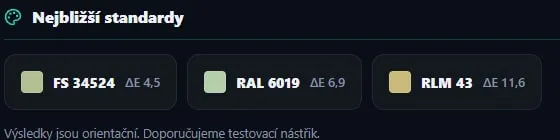
In every paint’s detail you find Closest standards: the nearest code in FS, RAL and RLM, with its ΔE. There is no cutoff here — a nearest standard always exists, even when ΔE 11.6 says it is not a good one. So read the number too.

Paint detail: closest standards FS 34524 (ΔE 4.5), RAL 6019 (ΔE 6.9) and RLM 43 (ΔE 11.6)

Catalog figures: 14 Oct 2026.

Gear

Gear, literature and Topics

Everything around a build that isn’t a kit or a paint. Accessories and books are tracked just like kits — and Topics tie the kits, paints and gear of one diorama or collection together.

Accessories

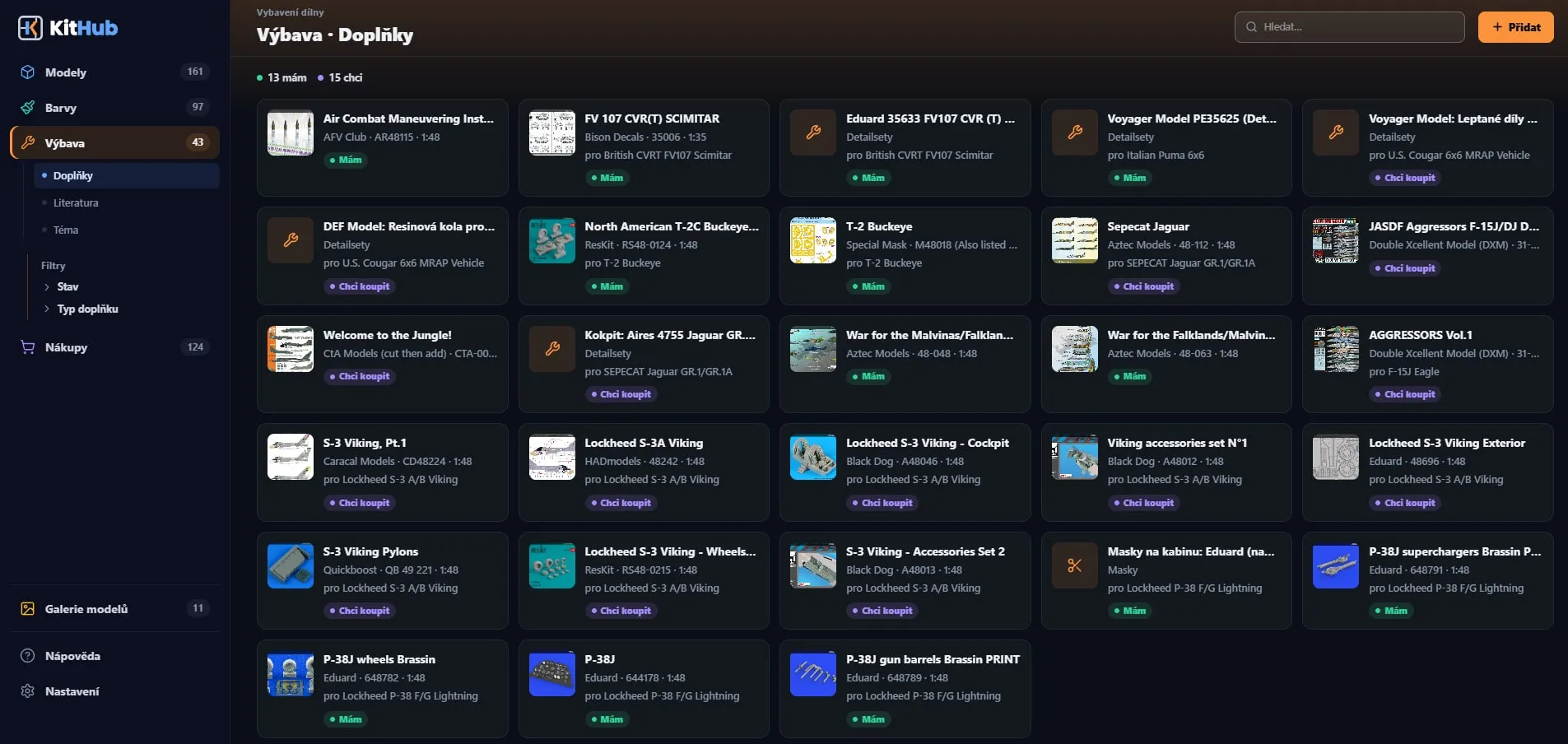
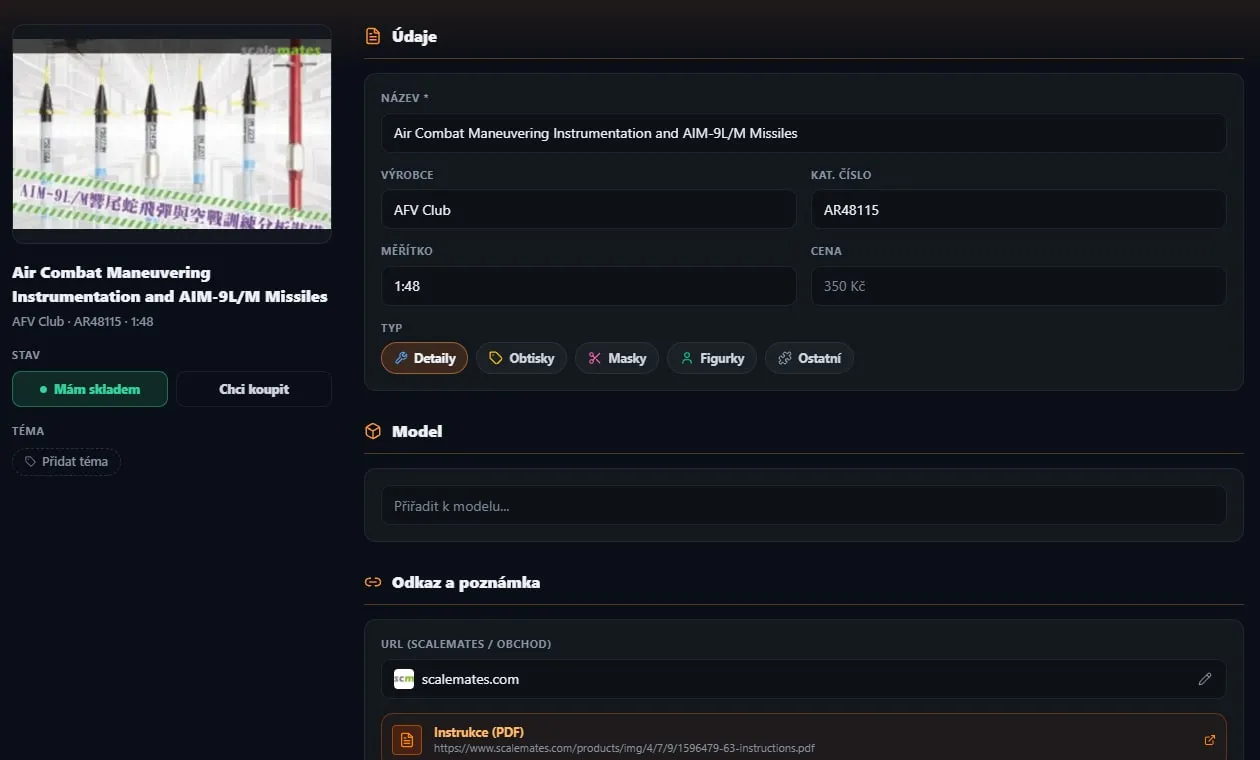
Detail sets, decals, masks, figures

Find an accessory right on Scalemates — a click pre-fills the form and one button adds it as Have or Want to buy.

  • Types: Detail sets, Decals, Masks, Figures and Other
  • Assign to a kit — on the kit you see how many accessories you have and want
  • Chemistry (glues, putties, masking, decal solutions, cleaners) lives in the paint stash next to your paints
Accessory detail with data, state and kit assignment
Literature

Books and related titles

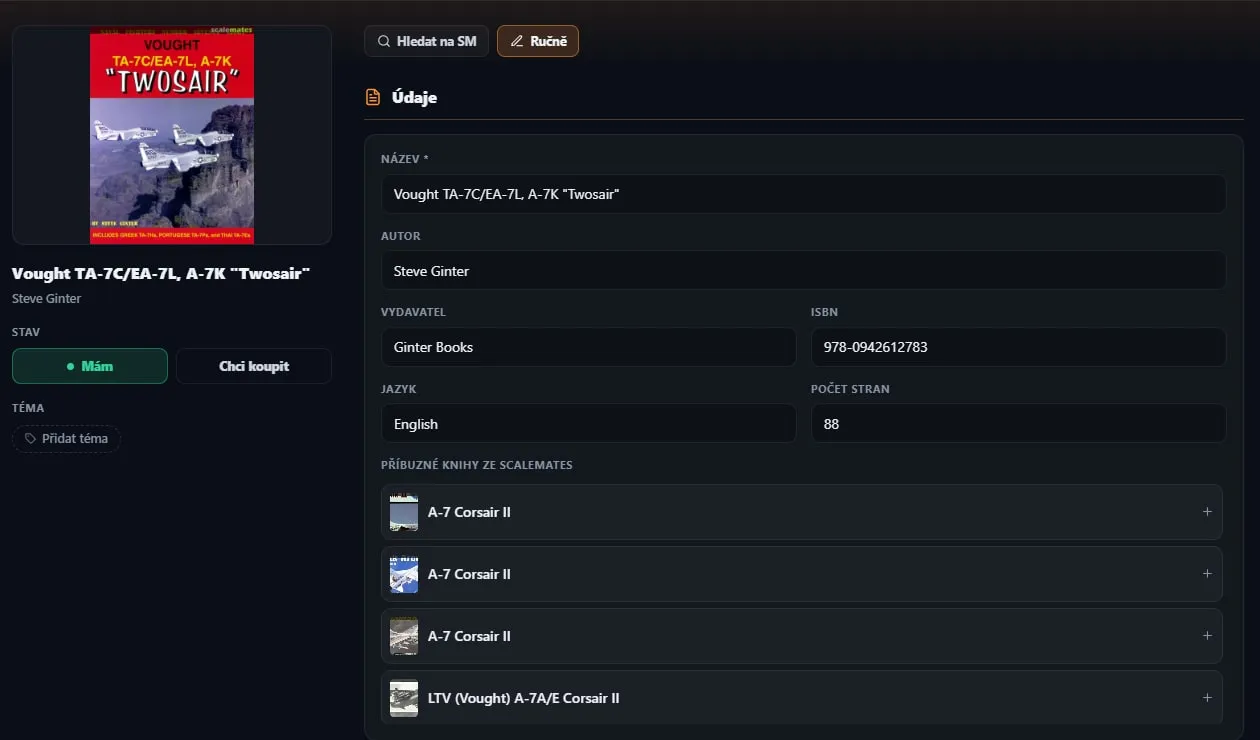
Cover art from Scalemates, author, publisher, ISBN, language and page count are filled in for you — and the app offers related titles as well.

  • Add related books with the Have / Want buttons
  • Want to buy goes straight onto the shopping list
Book detail with related titles from Scalemates
Topics

One Topic, a whole diorama

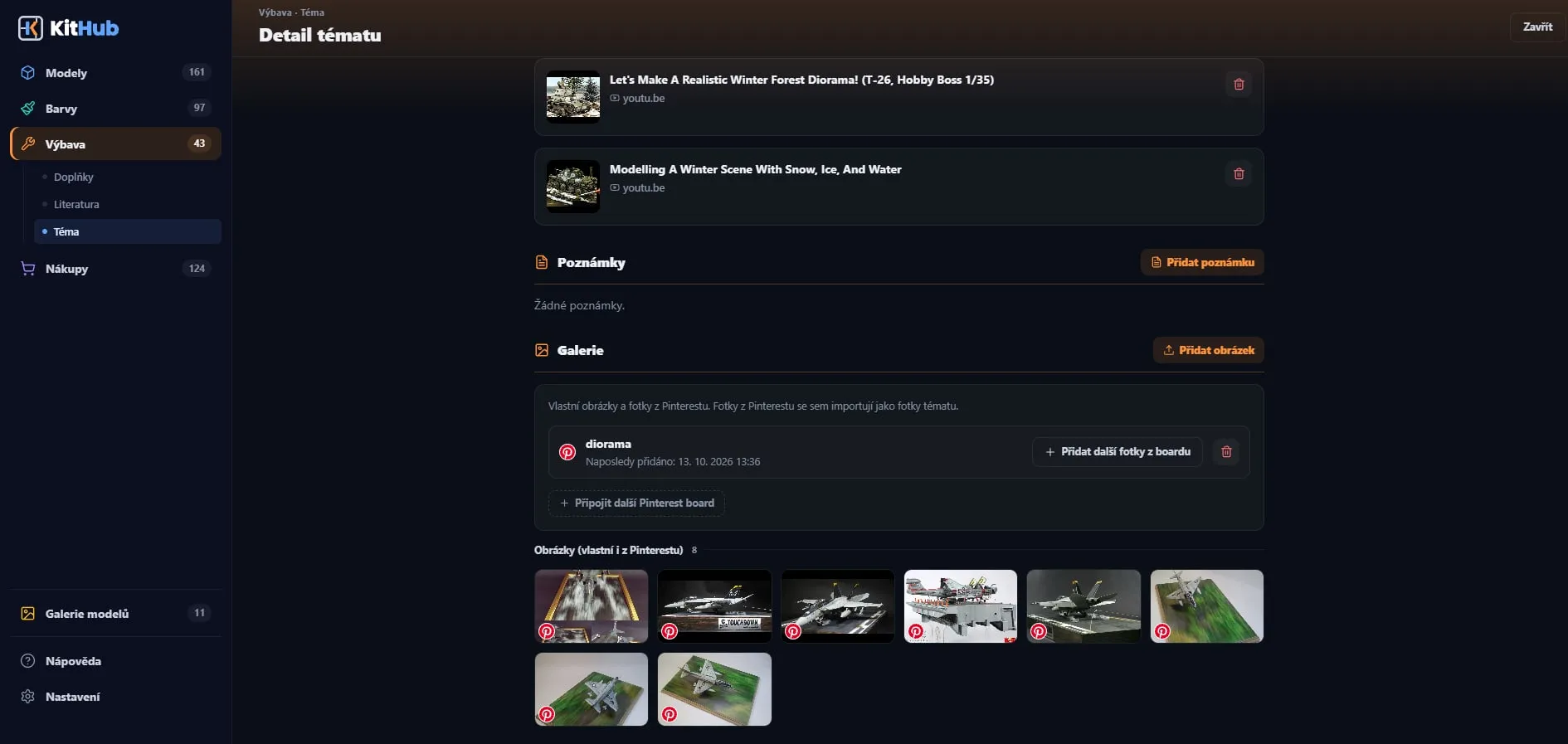
A Topic (a diorama, a collection, a unit…) ties together kits, paints and gear and gives them a shared gallery, notes and links. Coloured Topic tags show on kit, paint and accessory cards — one click opens the whole Topic.

  • Pinterest import: connect your account, pick your boards (several per Topic if you like), tick pins in the preview or choose “Import whole board”
  • Photos are copied for good, each keeps a link to its original pin; a Sync button pulls in new ones
  • Markdown notes (Edit / Preview), links with an automatic preview — YouTube shows the title and a thumbnail
  • Up to 20 photos per Topic free, 60 with a subscription
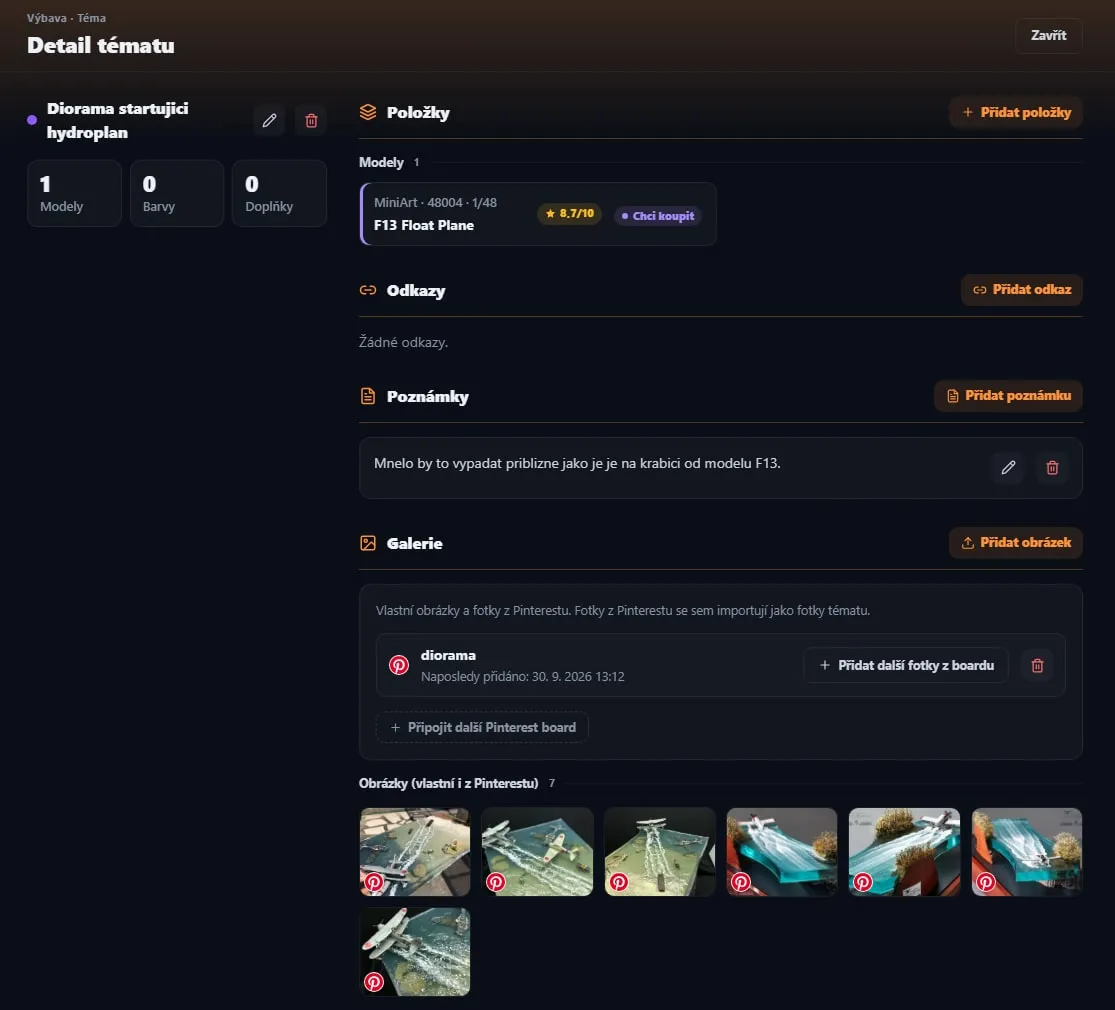
An example from the author’s collectionSeaplane takeoff diorama

The MiniArt F13 Float Plane kit (1/48) from the stash, a note “It should look roughly like on the F13 kit’s box” and seven inspiration photos from Pinterest — everything for one build in one place.

Pinterest photos are the work of their authors. KitHub shows them only to you and keeps a link to the original pin on each.
Seaplane takeoff dioramanext buyGerman camouflage – weatheringModeling tech.Dioramas

Topic detail Seaplane takeoff diorama: the F13 Float Plane kit, a note and seven photos from PinterestPinterest import
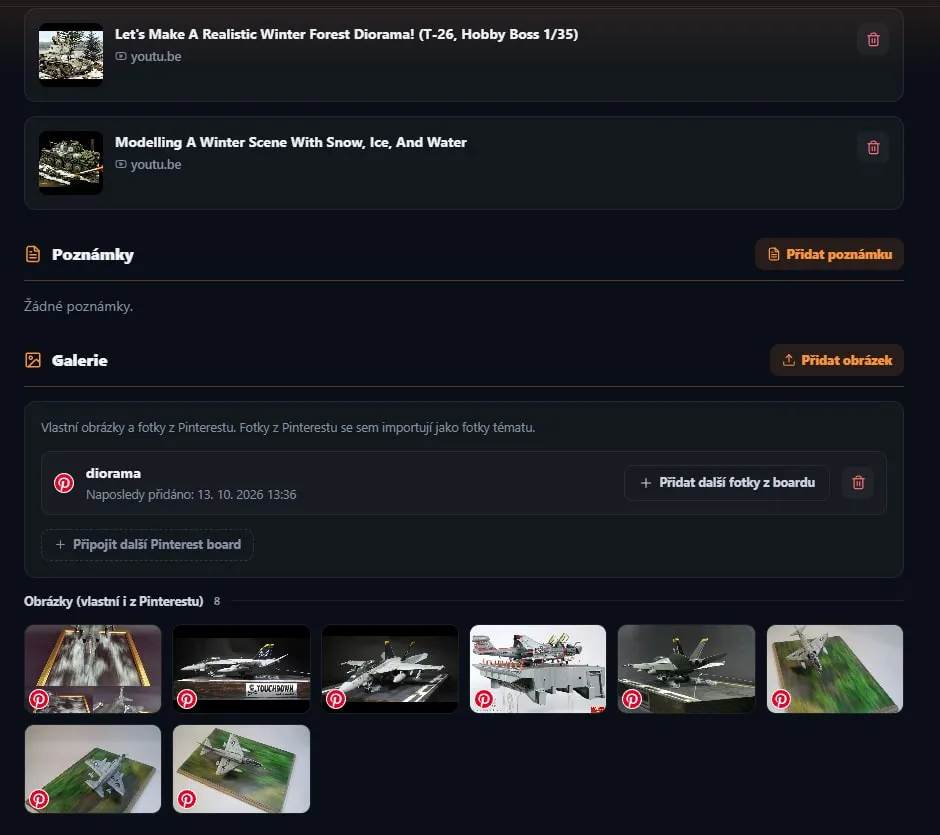
The Dioramas Topic: video links with a preview and a gallery of photos from Pinterest
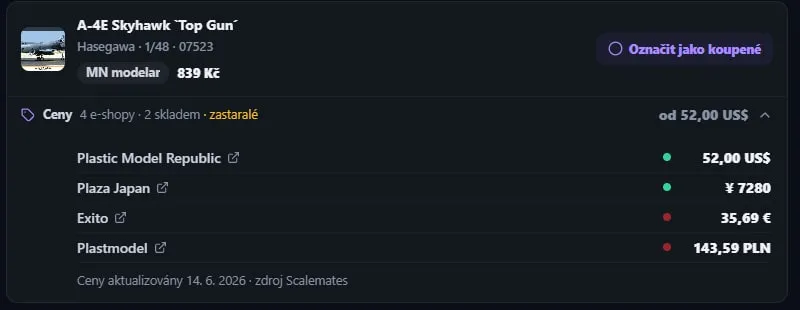
Shopping

A list that builds itself

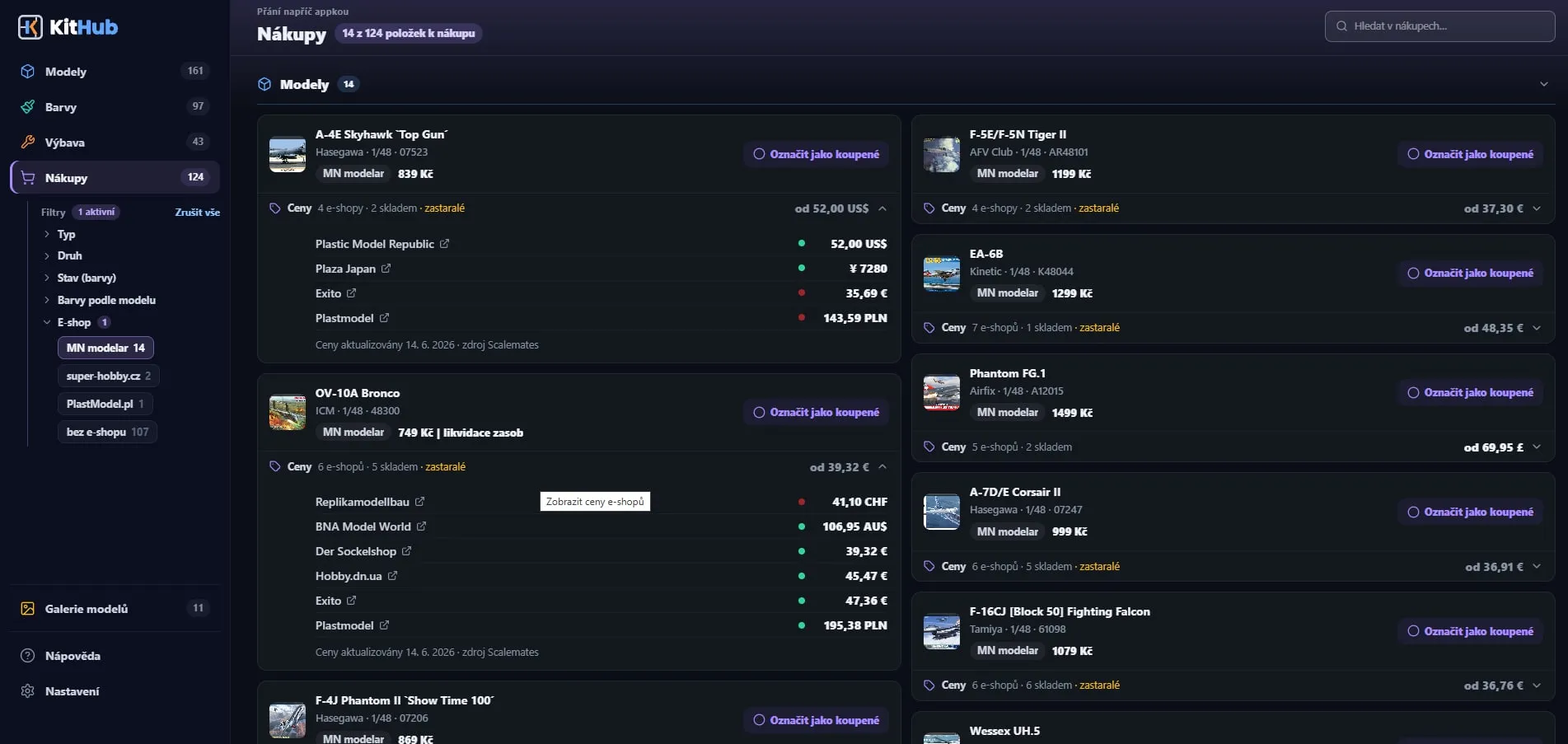
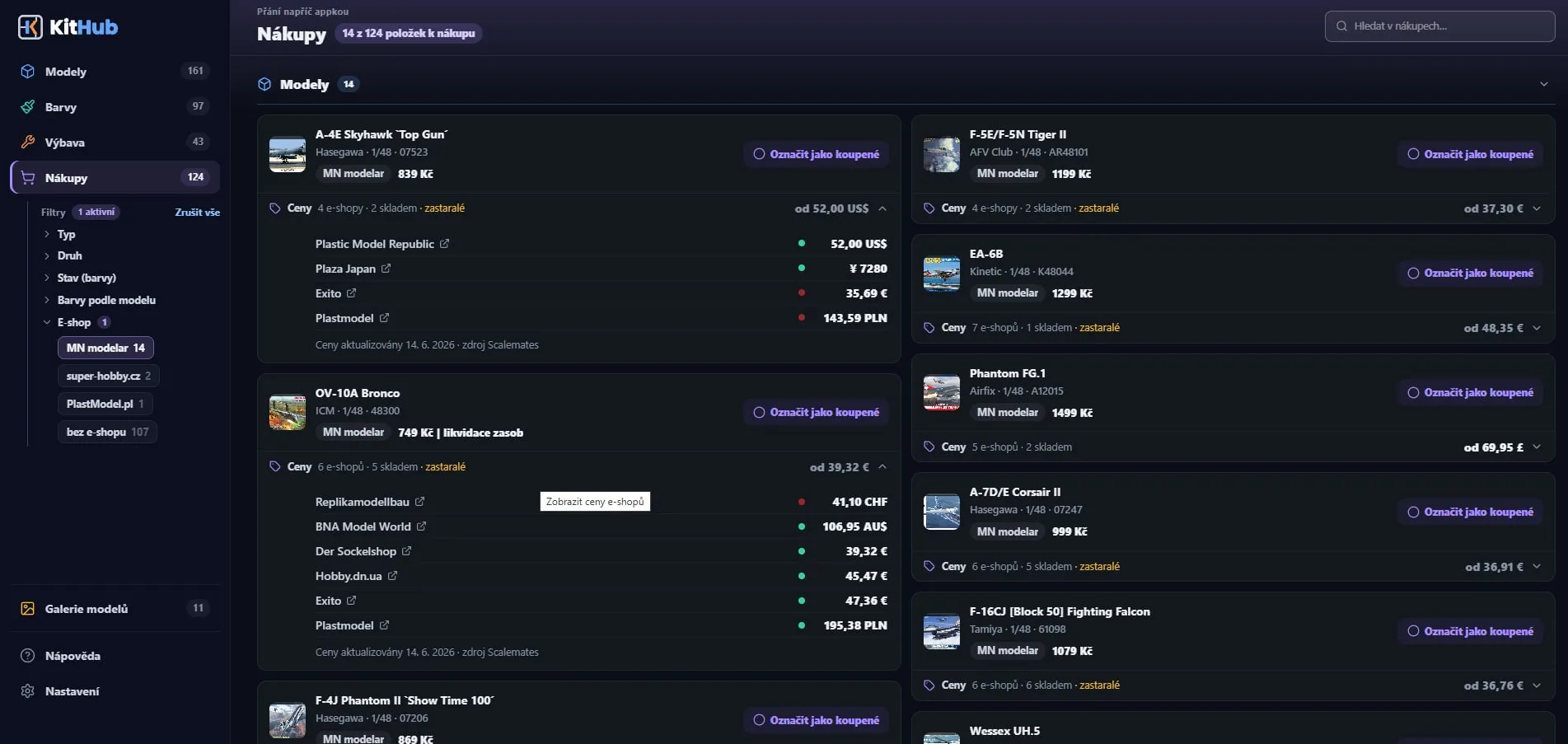
You never enter anything twice: everything marked Want to buy — kits, accessories, paints and books — lands on the shopping list by itself.

  • Shop prices from Scalemates on kits: how many shops sell it, how many have it in stock and the lowest price “from …”
  • Expand the shop list with availability; old prices are marked as outdated
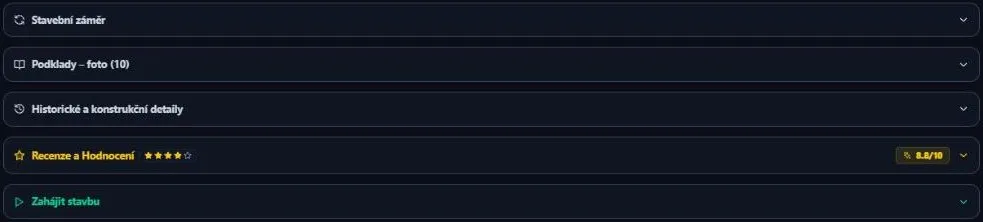
  • “Mark as bought” moves the item back to your stash
  • A purchase note that suggests shops you used before, a filter by shop and a preferred currency
Shopping list: shop prices on kits and a filter by shop
Expanded list of shops with prices and availability

Sprue A: small parts

A1 — A6 · DO NOT CUT EARLY

Statistics

What is in progress, how much you finished this year, average and median build time and what the paints cost.

Gallery

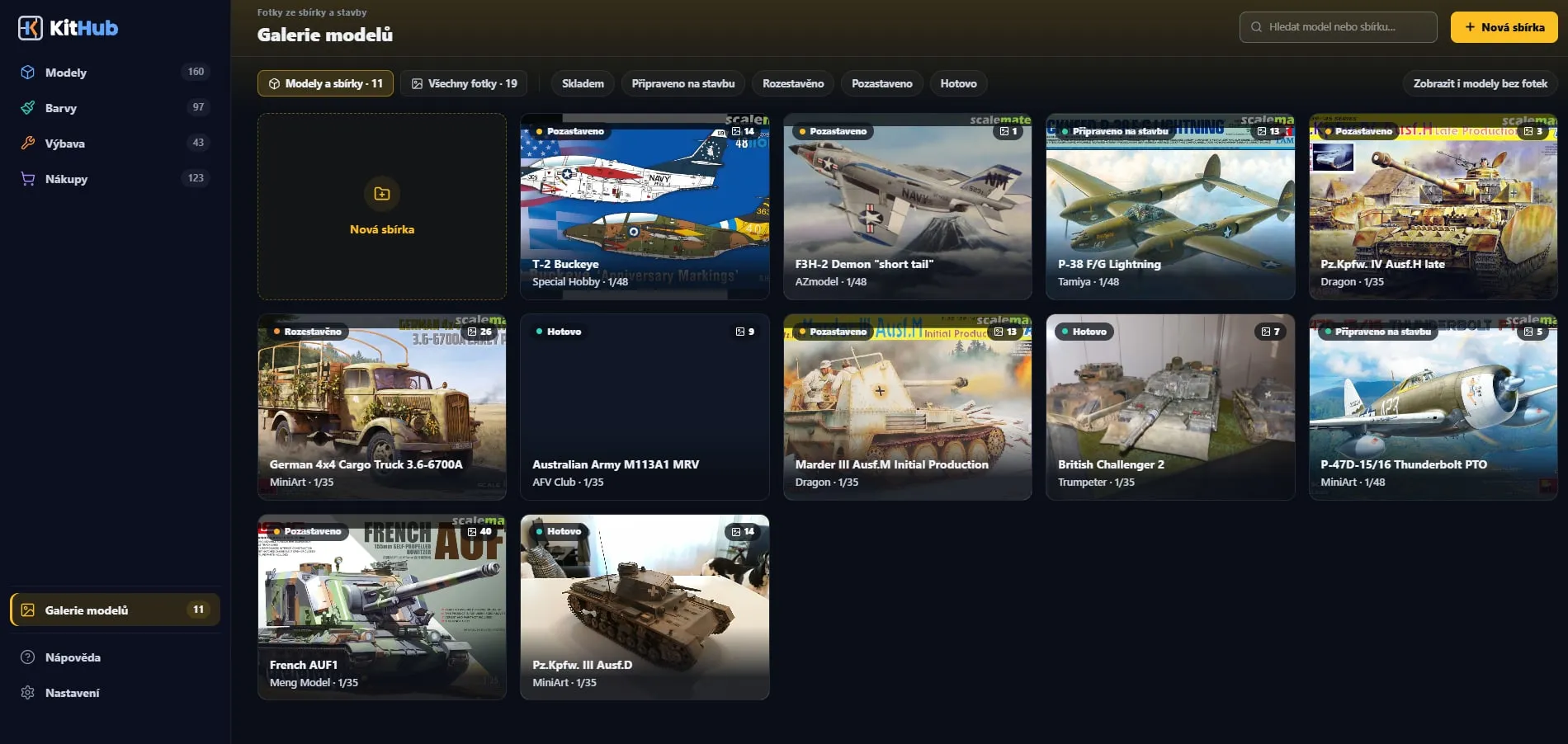
Big tiles of finished kits and custom collections with a full-screen viewer.

Chemistry

Glues, putties, masking and cleaners in the stash right next to your paints; the Type filter separates them from paints.

Paint sets

Add a manufacturer’s set in one tap — missing paints are created as In Stock right away. The detail shows what is left of the box.

Data export

Export your whole collection to a JSON file and import it again any time. You can delete the account and data.

Guest mode

Try the app without signing up. Sign in with Google or e-mail later and your data stays.

Coming soon · Community showcase

Finished builds in the showcase.

We are preparing a public showcase of finished builds from KitHub — with the paints used and a link to the kit. When it is ready you will send a gallery straight from the app.

Pricing

Start free. When your stash outgrows it, Premium is coming.

Signing up is free and lifts the guest limits. The KitHub Premium subscription will remove the counts entirely — it is on its way.

Guest

Try the app without signing up.
Free
  • 5 kits in the collection + 5 Want to Buy
  • 10 paints
  • 3 Topics, 2 custom galleries
  • No photo uploads and no Gear
  • Your data stays when you sign up
Continue as guest
Recommended

Free account

Sign in with Google or e-mail.
Free
  • 15 kits in the collection
  • 20 paints + 40 on the shopping list
  • Gear 20 + 30 to buy
  • 10 Topics, 4 custom galleries
  • Photos: 10 per build, 8 in the gallery
Create account

Premium

For bottomless stashes.
Coming soon
  • No limit on kits, paints or gear
  • Unlimited Topics and galleries
  • 40 build photos per kit
  • 20 in the final gallery, 30 in a custom one
  • Nothing is deleted when it ends
Soon

When the subscription is available you will turn it on in Settings → Account. When it ends, nothing gets deleted or hidden — you just can’t add new items beyond the free account limits.

Full pricing table →

Questions

Yes. Try it as a guest without signing up; a free account gives you more room, and the upcoming KitHub Premium subscription removes the collection counts entirely.

More answers in the guide

Your stash deserves
some order.

Open KitHub in your browser and add your first model in seconds.

Try it freeNo sign-up as a guest · CZ / EN
Coming soon · mobile apps

Your whole stash in your pocket.

At home, at the desk, KitHub is most comfortable on a computer. But a modeller doesn’t live only at the desk: you’re standing in front of a shelf in a hobby shop, walking a swap meet, or chatting about someone else’s build at a club meet — and that’s exactly where it helps to know what you already own.

The iPhone and Android apps will be the same KitHub, in your pocket. Same account, same kits, paints, gear and shopping list: what you log at home is on your phone, and what you jot down on the way is waiting at the desk in the evening. In front of the paint rack, check your stash for that shade. Spot a beautiful kit at a swap meet? See whether you already own it, and if not, drop it on the shopping list. A photo of a build in progress goes straight into the journal as soon as you take it.

The apps are still in the works and aren’t in the stores yet. Until then KitHub runs in the browser on your phone too, where you can add it to your home screen like an app. Your data is the same everywhere you sign in with the same account (e-mail or Google, free); as a guest it lives in just one browser.

  • Coming soon toApp Store
  • Coming soon toGoogle Play

Free · iOS & Android · Czech and English